
JEE Mains 2026 Session 2 Exam Cities: City Information Slip Guide
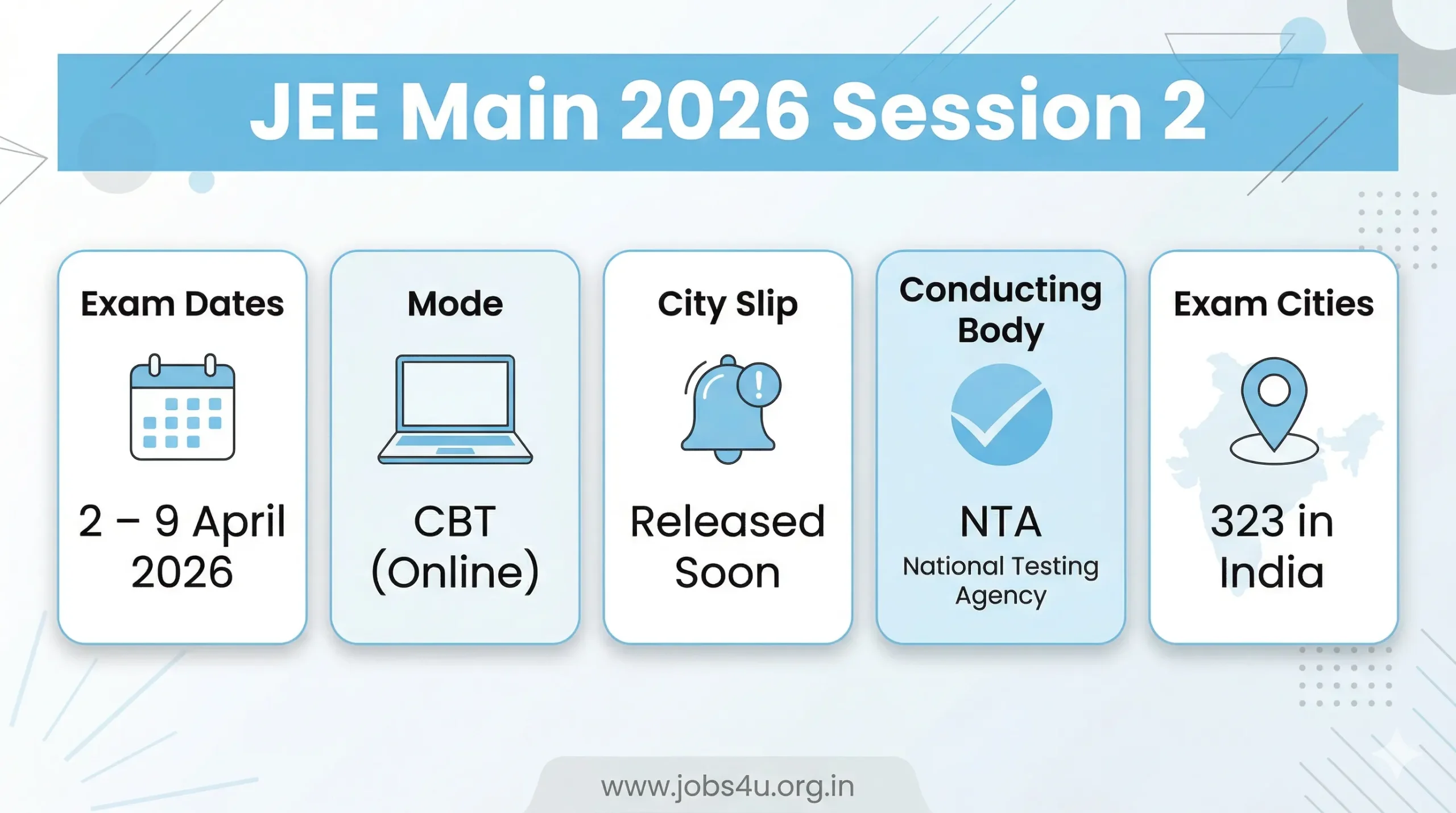
JEE Mains 2026 Session 2 Exam City is the city where the National Testing Agency (NTA) has allotted your JEE (Main) 2026 April-Session Computer-Based Test, as shown on the Exam City Information Slip and your admit card. Knowing your exam city in advance helps you plan travel, accommodation and logistics smoothly for the 2-9 April 2026 exam window.
What is JEE Mains 2026 Session 2 Exam City?
JEE Mains 2026 Session 2 Exam City is the exam city assigned to you for JEE (Main) 2026 April session, which is conducted at an NTA-designated exam center in that city. This city is first communicated through the Examination City Information Slip and later confirmed on your JEE Mains 2026 Session 2, which also lists the exact center name, address and reporting time.
For 2026, NTA is conducting JEE Main in 323 cities in India and 15 cities outside India, with 33 new cities added and 7 cities removed or merged to improve accessibility. Session 2 is scheduled from 2 to 9 April 2026, mainly for Paper 1 (B.E/B.Tech) and Paper 2 (B.Arch/B.Planning).
- Loading jobs…
JEE Mains 2026 Session 2: Key Details (Overview Table)
Use this table as a quick reference snapshot for both readers and search engines.
| Detail | Information |
| Exam name | JEE (Main) 2026 Session 2 |
| Conducting body | National Testing Agency (NTA) |
| Mode of exam | Online (Computer‑Based Test, CBT) |
| Exam dates | 2–8 April 2026 |
| Papers | Paper 1 (B.E./B.Tech) and Paper 2 (B.Arch/B.Planning) per official notice |
| City intimation slip release | Around 21–22 March 2026 |
| Exam cities in India | 323 cities (including 33 new centres for 2026) |
| International exam cities | 15 cities abroad |
How to Check JEE Mains 2026 Session 2 Exam City (City Information Slip)
NTA has released an examination city information slip for JEE Mains 2026 Session 2 so that candidates can plan their stay and travel in advance. City Information Slip shows your exam city and exam date, but not the exact exam center address; Which is visible only on the admit card.
Step‑by‑Step: How to check your exam city online
- Open the official JEE Main website: https://jeemain.nta.nic.in
- On the homepage, look for the link “City Intimation Slip/Examination City Slip – Session 2 (2026)” under “Candidate Activity” or similar section.
- Click on the city-slip login link (the same domain-style page you mentioned, hosted through NTA/Exam Services).
- Enter your application number and password/date of birth to log in.
- Your JEE Mains 2026 Session 2 Exam City Information Slip will appear; note down:
- exam city
- Exam Date/Session
- Exam-city code (if shown)
- Download the PDF and save/print a copy for hotel bookings and travel tickets.
- If the city-slip link is not active yet, then check again after the official release date (approximately 21-22 March 2026) or in the “Latest Notification” section of the NTA site.
How to Download JEE Mains 2026 Session 2 (Exact Exam Centre)
Once you know your JEE Mains 2026 Session 2 exam city, you need to download the admit card later to check the exact exam center name, address, reporting timings and shift details. Admit card is mandatory for entry into the examination centre.
Step-by-Step: Download Process
- Visit the official site again: Click here
- Click on the link “Download JEE Main Session 2 2026” or “JEE Main Admit Card”.
- Log in with your application number and date of birth/password.
Open Admit Card PDF and Verify:
- exam city
- Testing Center Code and Name
- Full address of the center
- Reporting time and gate closing time
- Disallowed items (usually no mobile phones or calculators)
- Download, save and print at least two clear copies; Keep a digital copy on your phone or email.
- On the day of the exam, you must carry the printed JEE Mains 2026 admit card along with a valid photo ID (Aadhar, PAN, Passport, etc., as uploaded in the application form).
Eligibility and conditions related to JEE Mains 2026 exam city
When you fill the JEE Main application, you can choose a maximum of four preferred exam cities from the list of NTA, but the final city is allotted automatically based on preferences, availability and NTA rules.
- You have to appear in the examination city and center mentioned on your admit card; No changes are allowed once the City Information Slip/Hall Ticket is issued.
- If you wish to change the exam-city preference, the same should be requested within the correction/late-correction window (if NTA allows); No changes are accepted after the slips are printed.
- For International candidates, you have to appear in the allotted foreign city and carry the admit card and a valid passport to the examination centre.
Official Link for JEE Mains 2026 Session 2 Exam City
For quick navigation and better SEO, list the main official links clearly.
- JEE Mains 2026 Session 2 Exam-City Login Page (City Information Slip): Click here
- Main JEE Main 2026 Portal: Click here
- NTA official website (for general notifications and PDF): Click here
JEE Mains 2026 Session 2 Exam City (FAQs)
Q: What is the difference between the JEE Main City Intimation Slip and the Admit Card?
Ans: The City Information Slip only tells you the city and date of your exam so you can plan your travel and accommodation. The Admit Card is released later and contains the exact exam center address, shift timings, and reporting instructions. You cannot enter the exam hall with just the city slip.
Q: When will the JEE Mains 2026 Session 2 City Intimation Slip be released?
Ans: The National Testing Agency (NTA) is expected to release the Session 2 Exam City Slip around 21–22 March 2026 on the official portal.
Q: Can I change my allotted exam city after the slip is released?
Ans: No. Once the NTA has allotted the exam city and issued the Information Slip, requests for a change in the exam city or center will not be entertained under any circumstances.
Q: How do I check my JEE Main exam city?
Ans: You need to visit jeemain.nta.nic.in, click on the “City Intimation Slip – Session 2” link, and log in using your Application Number and Date of Birth / Password.
Q: What should I do if my city intimation slip shows a blank page or an error?
Ans: This usually happens due to heavy server traffic. Try clearing your browser cache, using a different browser, or checking back after a few hours. If the issue persists, contact the NTA helpdesk.