
PSSSB Admit Card 2026 Released – Warder, Assistant Superintendent & Matron – Download Hall Ticket at sssb.punjab.gov.in
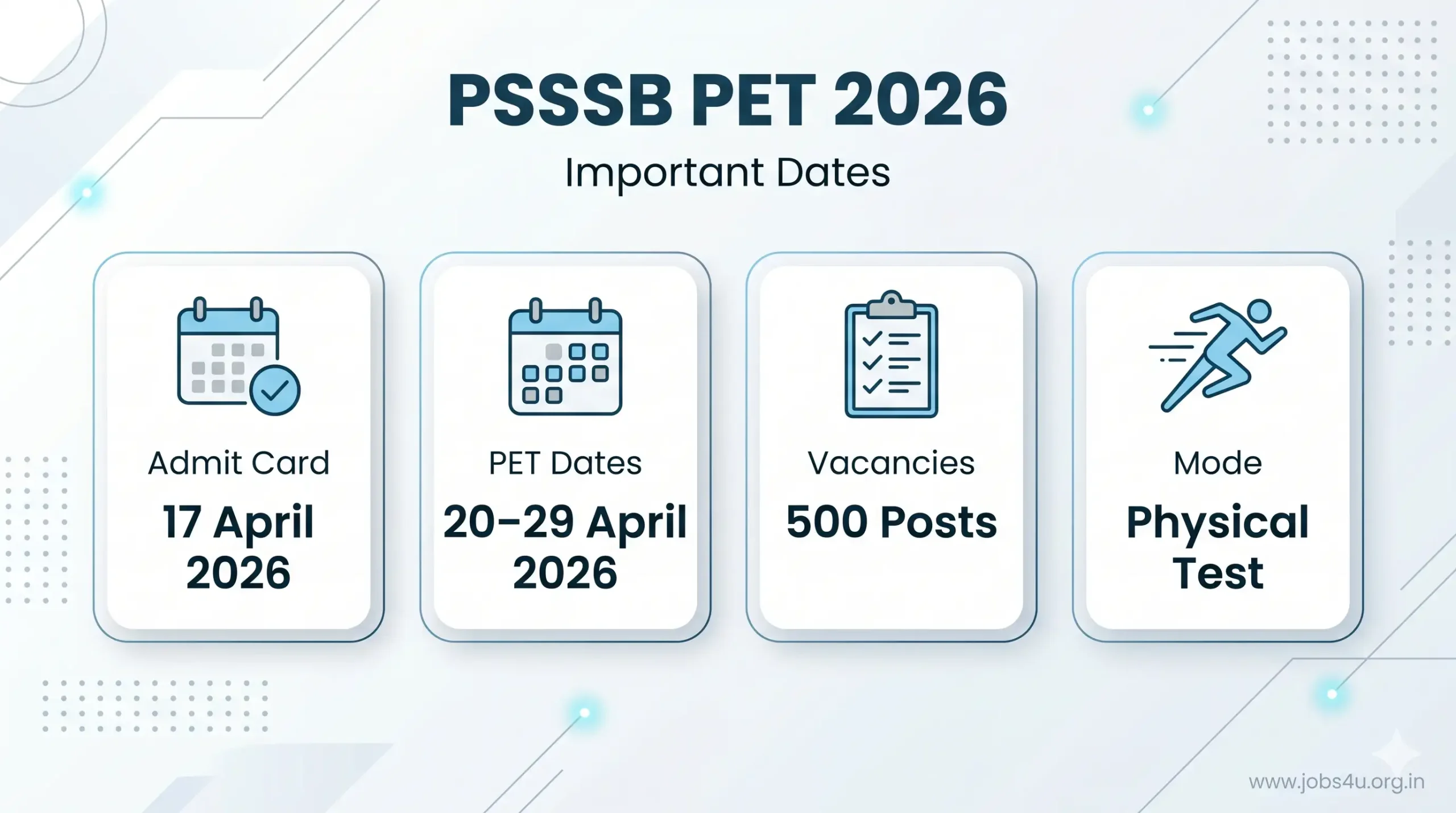
PSSSB Admit Card 2026 Punjab Subordinate Services Selection Board has released the notification for Warder, Assistant Superintendent and Matron posts. 17 April 2026. Candidates who had applied for the advertisement. No. 07/2025 You can download your Physical Efficiency Test (PET) Hall Ticket from the official website sssb.punjab.gov.in. Physical Test (PET/PMT) is scheduled From 20th April 2026 to 29th April 2026 At various centers in Punjab. This admit card is mandatory to appear in PET. Read below for direct download link, step by step procedure, test details and important instructions for PSSSB Warder, Assistant Superintendent and Matron Admit Card 2026.
- Loading jobs…
PSSSB Admit Card 2026 – Quick Information
Release date: 17 April 2026
PET Date: From 20th April 2026 to 29th April 2026
Download Status: now available
official website: sssb.punjab.gov.in
Total Vacancies: 500 posts
Advertisement Number: 07/2025
PSSSB Admit Card 2026 – Direct Download Link
| Document | Status | Action |
| PSSSB Warder / Matron / Assistant Superintendent PET Admit Card 2026 | Available | Download Now |
| Official Website | Active | Visit Portal |
| PET Date | 20 to 29 April 2026 | Check Details |
PSSSB Admit Card 2026 Overview
| Conducting Body | Punjab Subordinate Service Selection Board (PSSSB) |
| Test Name | Jail Warder, Assistant Superintendent & Matron Physical Efficiency Test (PET) 2026 |
| Advertisement No. | 07/2025 |
| Admit Card Release Date | 17 April 2026 |
| PET Date | 20 April 2026 to 29 April 2026 |
| Total Vacancies | 500 Posts |
| Test Mode | Physical Efficiency Test (Offline) |
| Official Website | sssb.punjab.gov.in |
How to Download PSSSB Admit Card 2026?
Follow these simple steps to download your PSSSB Warder/Assistant Superintendent/Matron PET Admit Card 2026: :
- step 1: Visit the official website of PSSSB sssb.punjab.gov.in Or click on the direct download link given above
- step 2: navigate to “Admit card” Or “Current News” section on home page
- step 3: Click the link “Link to download admit card for PMT/PET for the post of Assistant Superintendent, Warder and Matron (Advt. No. 07/2025)”
- step 4: Enter your credentials:
- application Number
- Date of Birth (in DD/MM/YYYY format)
- Step 5: click on “submit” Or “Generate Admit Card” button
- Step 6: Your PSSSB Admit Card 2026 will appear on the screen
- Step 7: Download the PDF file and save it to your device
- Step 8: Take a clear printout (keep 2-3 copies for backup)
Pro Tip: Check all the details on your admit card immediately after downloading. Report any discrepancy to the PSSSB Helpdesk within 24 hours.
PSSSB PET 2026 – Important Dates
| Event | Date | Status |
| Application Start Date | Earlier Phase | Completed |
| Written Exam Dates | 11 & 18 January 2026 | Completed |
| PET Admit Card Release Date | 17 April 2026 | Live Now |
| PET Date | 20 April to 29 April 2026 | Upcoming |
| Further Stages (Result etc.) | To be announced | Awaited |
Details on PSSSB Admit Card 2026
Yours PSSSB Warder/Assistant Superintendent/Matron Admit Card 2026 It will contain the following information:
Candidate Information:
- Name of candidate
- Roll Number/Registration Number
- date of birth
- Photograph and Signature
PET Information:
- PET date and time slot
- reporting time
- Place name and full address
- important instructions
Documents required on PSSSB PET Day
- PSSSB PET Admit Card 2026 (Printed copy with clear photograph)
- Valid photo ID proof (Any one of the following):
- Aadhar card
- Voter ID Card
- driving license
- Passport
- Latest passport size photograph (2 copies – same as uploaded in the application)
Not allowed in the testing site:
- Mobile phones, smartwatches and electronic devices
- Bags, study materials or prohibited items
Important Instructions for PSSSB PET 2026
Before Test Day:
- Download Admit Card Instantly
- Check PET Site Location on Google Maps
- Plan your route and transportation
- Verify physical standards and prepare accordingly
On test day:
- Reach the venue 45-60 minutes before reporting time
- Entry closes before scheduled time (no late entry)
- Strictly follow all instructions of the authorities
- Carry only permitted items
- Maintain discipline and avoid metal objects/caps/accessories
What if PSSSB Admit Card is not available?
If you are unable to download your PSSSB Admit Card 2026Try these solutions:
- Solution 1: Clear browser cache and cookies, then try again
- Solution 2: Try a different web browser (Chrome recommended) or device
- Solution 3: Avoid rush hour and check application status
- Solution 4: Contact PSSSB Helpdesk immediately
Important: Act fast if you’re experiencing download issues. Don’t wait until test day.
Stay updated: For latest updates on PSSSB Jail Warder Result 2026, further steps and all recruitment information visit sssb.punjab.gov.in or bookmark this page.
PSSSB Admit Card 2026 (FAQs)
Q: Is the PSSSB Admit Card 2026 for Warder and Matron officially released?
Ans: Yes, the Punjab Subordinate Services Selection Board (PSSSB) officially released the admit cards for the Physical Efficiency Test (PET) on 17 April 2026.
Q: What are the exact dates for the PSSSB PET 2026?
Ans: The Physical Efficiency Test (PET) and Physical Measurement Test (PMT) will be conducted from 20 April 2026 to 29 April 2026.
Q: How can I download my PSSSB PET Hall Ticket?
Ans: Candidates can download their admit cards by visiting the official direct link provided above and logging in using their Application Number and Date of Birth.
Q: What mandatory documents do I need to carry to the physical test venue?
Ans: You must carry a clear, printed copy of your admit card, a valid original photo ID proof (such as an Aadhar Card, PAN Card, or Voter ID), and two recent passport-size photographs.
Q: What should I do if the admit card download link is not working?
Ans: Server issues can occasionally happen due to heavy traffic. Try clearing your browser cache, using a different browser (like Google Chrome), or checking the site during off-peak hours. If the issue persists, contact the PSSSB Helpdesk immediately.