Name of Post: RRB Technician City Intimation Slip 2026 (CEN 02/2026)

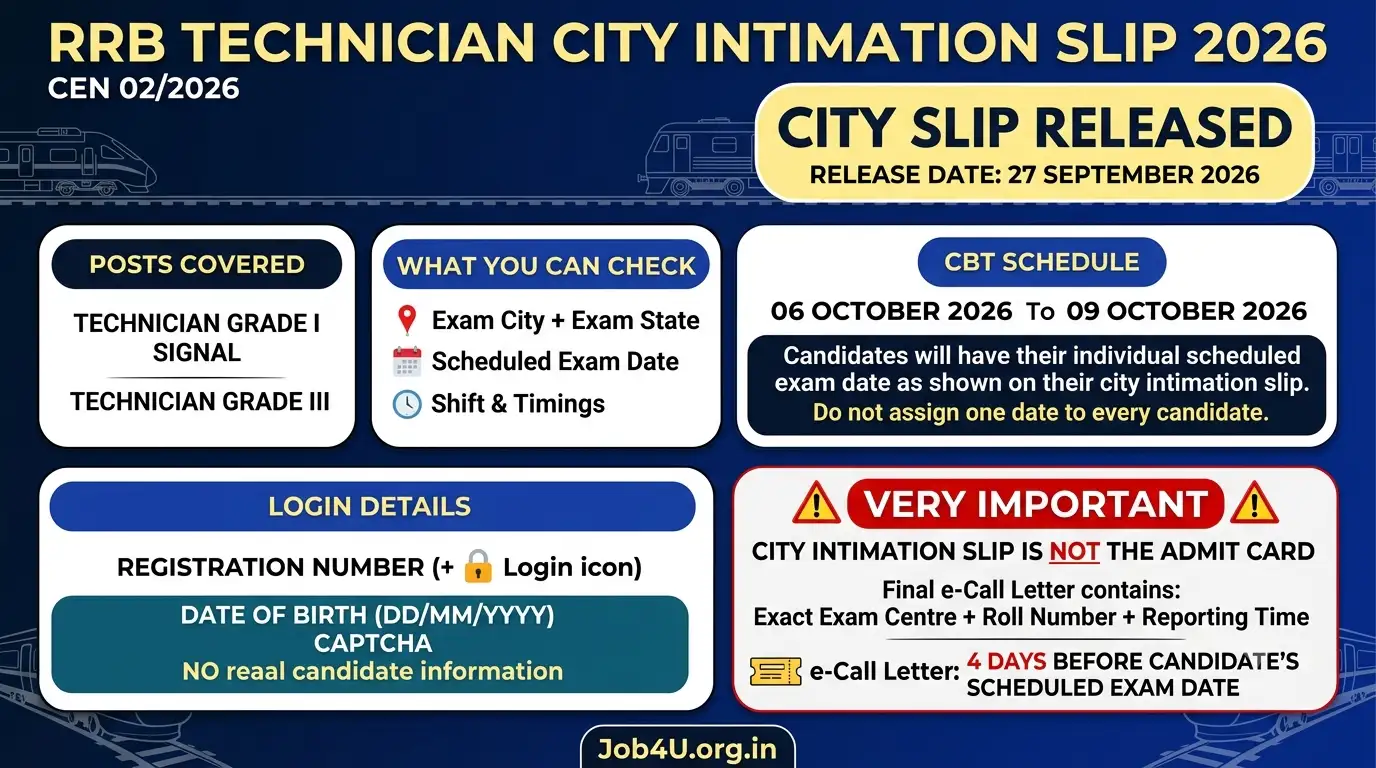
Brief Information: The Railway Recruitment Boards (RRBs), under the Ministry of Railways, have officially activated the online link for the RRB Technician City Intimation Slip 2026 under Centralised Employment Notification (CEN) No. 02/2026. Candidates who submitted applications for Technician Grade I Signal and Technician Grade III can now verify their allotted examination city, state, date, and shift timings. If you are preparing for central government or railway competitive examinations, explore our main job portal for all the latest vacancies. The Computer Based Test (CBT) is scheduled to be held from 6 to 9 October 2026 across various centers nationwide.
- Loading jobs…
Railway Recruitment Boards (RRBs), Ministry of RailwaysTechnician Grade I Signal & Technician Grade III Recruitment 2026CEN No: 02/2026 | Exam City Intimation & Schedule | |
Important Dates
| |
Application Fee
| |
Examination Overview
| |
| Posts Covered Under CEN 02/2026 | |
| Post Name | Recruitment Scope |
| Technician Grade I Signal & Technician Grade III | All candidates across various Railway Recruitment Boards (RRBs) who successfully registered under CEN 02/2026 and are appearing for the single/multi-tier CBT stage. |
| Important Links | |
| Direct Link to Check City Intimation Slip | Click Here to Login & Check |
| Official RRB Application Portal | Click Here to Visit |
| Official Indian Railways Website | Click Here to Visit |
Also Read: Barnala District Court Recruitment 2026 – Apply Offline for Peon & Guard Posts
Details Mentioned on RRB Technician City Intimation Slip
After logging into the candidate portal, review the following details carefully to avoid confusion on exam day:
- Candidate Name & Registration Number: Confirm identity and registration correctness.
- Allotted Exam City & State: Check your assigned test city to arrange transport and lodging in advance.
- Scheduled Exam Date: Your specific test date scheduled between 06 October and 09 October 2026.
- Shift & Timings: The allotted shift timing for your examination.
- Important Guidelines: Specific instructions regarding biometric checks and mandatory entry requirements.
How to Check & Download RRB Technician City Slip 2026
Follow these simple steps to check your exam city allocation online:
- Visit the direct RRB DigiALM candidate login link provided in the Important Links table above.
- Enter your Registration Number in the user ID field.
- Enter your Date of Birth in DD/MM/YYYY format as your password (e.g., 26/01/1998).
- Carefully type the visible captcha code into the designated box.
- Click on the Login button.
- Your RRB Technician City Intimation Slip will load on the screen.
- Verify all details, download the PDF, and keep a printed copy for reference.
Crucial Exam-Day & Verification Guidelines
- City Slip is Not an Admit Card: The city intimation slip does not grant entry into the examination hall. The official e-call letter (admit card) featuring your exact test centre name, roll number, and reporting time will be made available approximately 4 days prior to your exam date.
- No Centre or Date Changes: Under no circumstances will requests for changes in the exam date, city, shift, or centre be entertained by the RRBs.
- Biometric Verification: Carry your original physical Aadhaar card along with another valid government photo ID proof (Voter ID, PAN Card, Driving License, or Passport). Aadhaar-enabled biometric verification will be conducted at the entry gate.
- Biometric Unlock Status: Ensure your biometrics are unlocked on the UIDAI portal before heading to the test venue to ensure smooth verification.
Also Read: BFUHS Medical Officer Recruitment 2026 – Check Qualification & Selection Steps
RRB Technician City Intimation Slip 2026 FAQs
Q: When was the RRB Technician City Intimation Slip 2026 released?
Ans: The exam city intimation slip for CEN 02/2026 was officially released on 27 September 2026.
Q: What are the examination dates for RRB Technician CEN 02/2026?
Ans: The Computer Based Test (CBT) is scheduled to be held from 06 October to 09 October 2026.
Q: What login details are required to check the exam city slip?
Ans: You need your Registration Number and Date of Birth in DD/MM/YYYY format, along with the captcha code.
Q: Can I use the City Intimation Slip to enter the examination centre?
Ans: No, the city slip is only for travel planning and intimation purposes. You must carry the official printed e-Call Letter (admit card) to the venue.
Q: When will the RRB Technician Admit Card 2026 be available for download?
Ans: The e-Call Letters will be uploaded approximately 4 days before each candidate’s individual exam date.
Q: Can I request a change in my allotted exam city or shift?
Ans: No, the Railway Recruitment Boards strictly do not entertain any requests for changes in exam date, city, shift, or test center.
Q: What identity documents are required at the test centre?
Ans: Candidates must bring their original physical Aadhaar Card for biometric authentication along with a valid alternative government-issued photo ID.
Q: What should I do if the login portal is not loading?
Ans: Heavy traffic can slow down the servers. Clear your browser cache and cookies, try incognito mode, or switch to a desktop browser such as Google Chrome or Mozilla Firefox.